
Tips for Creating a Relaxing Home Workspace
himebeo.pro >> Home Workspace>>Productivity>> Tips for Creating a Relaxing Home Workspace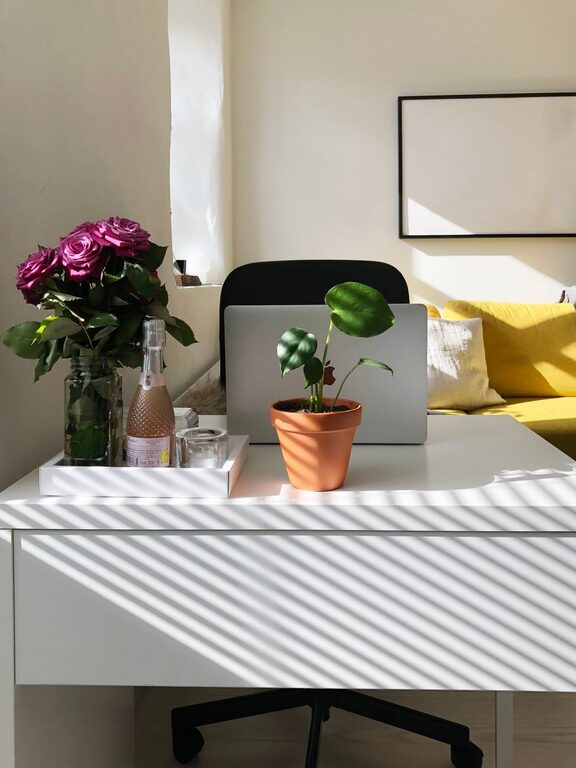
Tips for Creating a Relaxing Home Workspace
Creating a relaxing home workspace is essential for maintaining focus, reducing stress, and enhancing productivity when working from home. Whether you’re setting up a new office or revamping an existing one, making your space comfortable and calming can improve your work experience significantly. Below are practical tips to help you design a relaxing home workspace suited to your needs.
Choose the Right Location
Your workspace location can have a big impact on your comfort and concentration.
– Pick a quiet spot: Select a place away from household noise or busy areas.
– Consider natural light: Position your desk near a window to take advantage of daylight, which can boost mood and energy.
– Ensure privacy: If possible, use a room or corner where you can work without interruptions.
Focus on Ergonomics
Comfort and support are crucial for long hours spent at your desk.
– Invest in a good chair: Choose one with adjustable height, lumbar support, and comfortable cushioning.
– Adjust desk height: Your desk should allow your arms to rest comfortably at a 90-degree angle.
– Monitor positioning: Place your computer screen at eye level to avoid neck strain.
– Use accessories: Consider a keyboard tray, footrest, or wrist supports to improve posture.
Keep the Space Organized
A tidy workspace can help your mind stay clear and focused.
– Use storage solutions: Shelves, drawers, and organizers keep essential items accessible while reducing clutter.
– Limit decorations: Choose a few personal items or plants to create a welcoming environment without distractions.
– Regularly declutter: Set aside time weekly to clean and organize your area.
Incorporate Calming Elements
Small touches can make your workspace more peaceful and inviting.
– Add plants: Greenery helps purify the air and brings a sense of calm.
– Choose soothing colors: Soft blues, greens, or neutrals can reduce stress.
– Use natural materials: Wood, stone, or fabric textures add warmth.
– Control lighting: Use adjustable lamps and avoid harsh overhead light to create a cozy atmosphere.
Manage Sound and Noise
Minimizing distractions helps maintain a relaxing environment.
– Use noise-cancelling headphones: These can block out background sounds and help you focus.
– Play ambient sounds: White noise or gentle nature sounds can soften disruptive noises.
– Include soft furnishings: Rugs, curtains, and cushions can absorb sound.
Plan for Breaks and Movement
Taking breaks and moving around supports physical and mental well-being.
– Create a comfortable area for breaks: A small chair or cushion nearby can encourage short rests.
– Set reminders: Use timers to prompt regular breaks to stand, stretch, or walk.
– Incorporate standing options: Consider a sit-stand desk to change positions throughout the day.
Personalize Your Workspace
Make the space truly your own while keeping it functional.
– Display inspiring items: Photos, artwork, or quotes that motivate you.
– Use colors and patterns you enjoy: Choose items that reflect your personality.
– Adjust temperature: Use a fan, heater, or thermostat settings to stay comfortable.
Maintain Technology and Connectivity
Reliable tools help keep your work smooth and stress-free.
– Organize cables: Use clips or covers to prevent tangling.
– Optimize your internet connection: Ensure a stable signal for video calls and online tasks.
– Keep devices updated: Regularly maintain software and hardware to avoid frustration.
Conclusion
By thoughtfully designing your home workspace with comfort, organization, and calming touches, you create a place that supports your well-being and productivity. Start with small changes and adjust your setup until it feels just right. With the right environment, you’ll find working from home more enjoyable and less stressful.